Software you own. Built to be yours.
NewcombLabs builds practical, self-hosted apps for your life, your finances and your home. Buy once, get the full source code, and run everything on your own hardware. No subscriptions. No cloud dependency. No compromises.
- One-time price
- Full source code
- Runs on your hardware
Five apps, one idea: keeping life organized.
Each one is a single, one-time purchase that comes with everything you need to run it, including the complete source code.
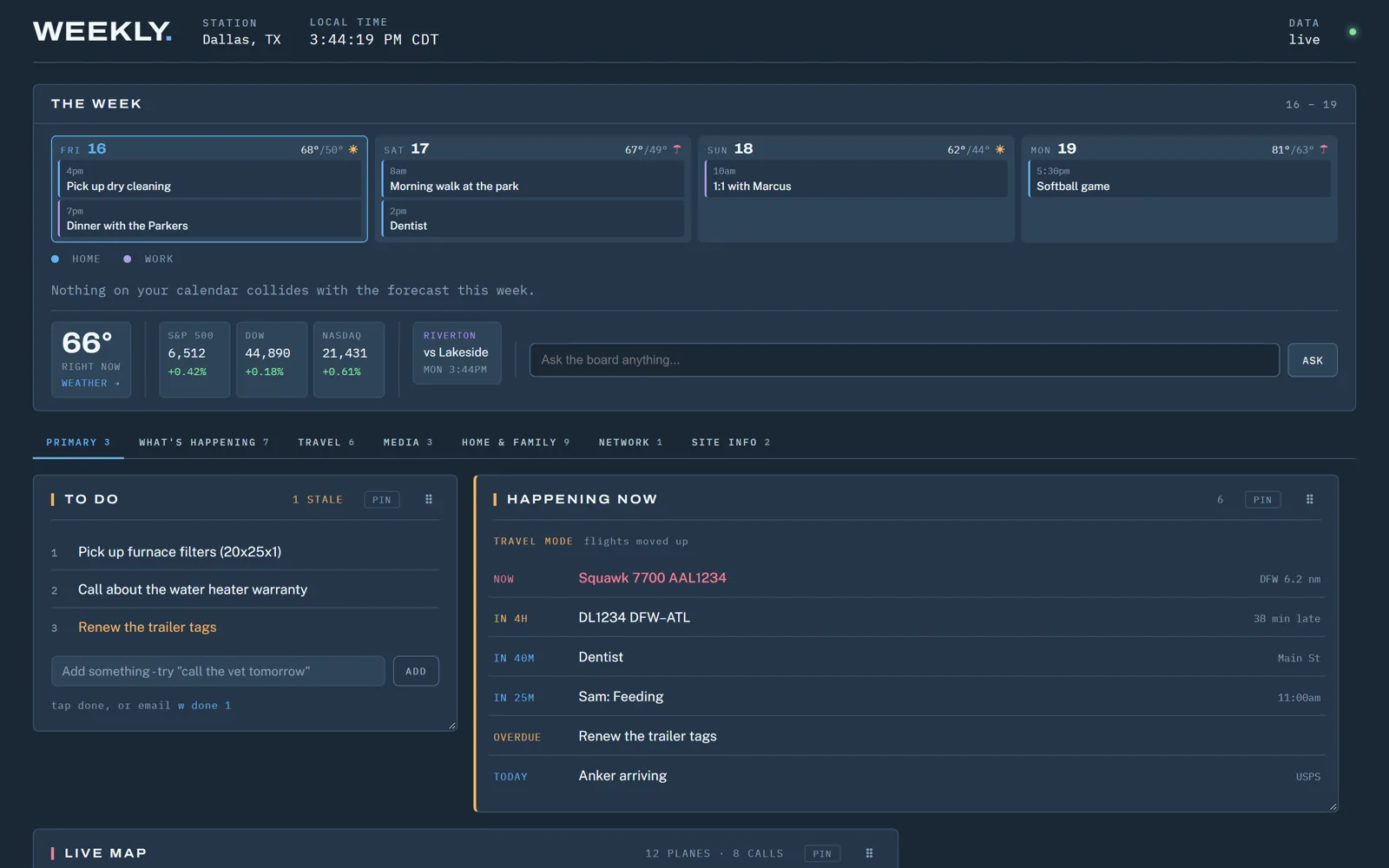
Weekly
Your personal assistant and the hub for everything in your life: your schedule, tasks and the things you check every day, all on one screen.
- About 70 panels you can arrange and extend
- Siri and email commands, plus push notifications
- Budgets and a forecast of your checking balance
- Refreshes in the background, opens instantly
- Python backend you can build on
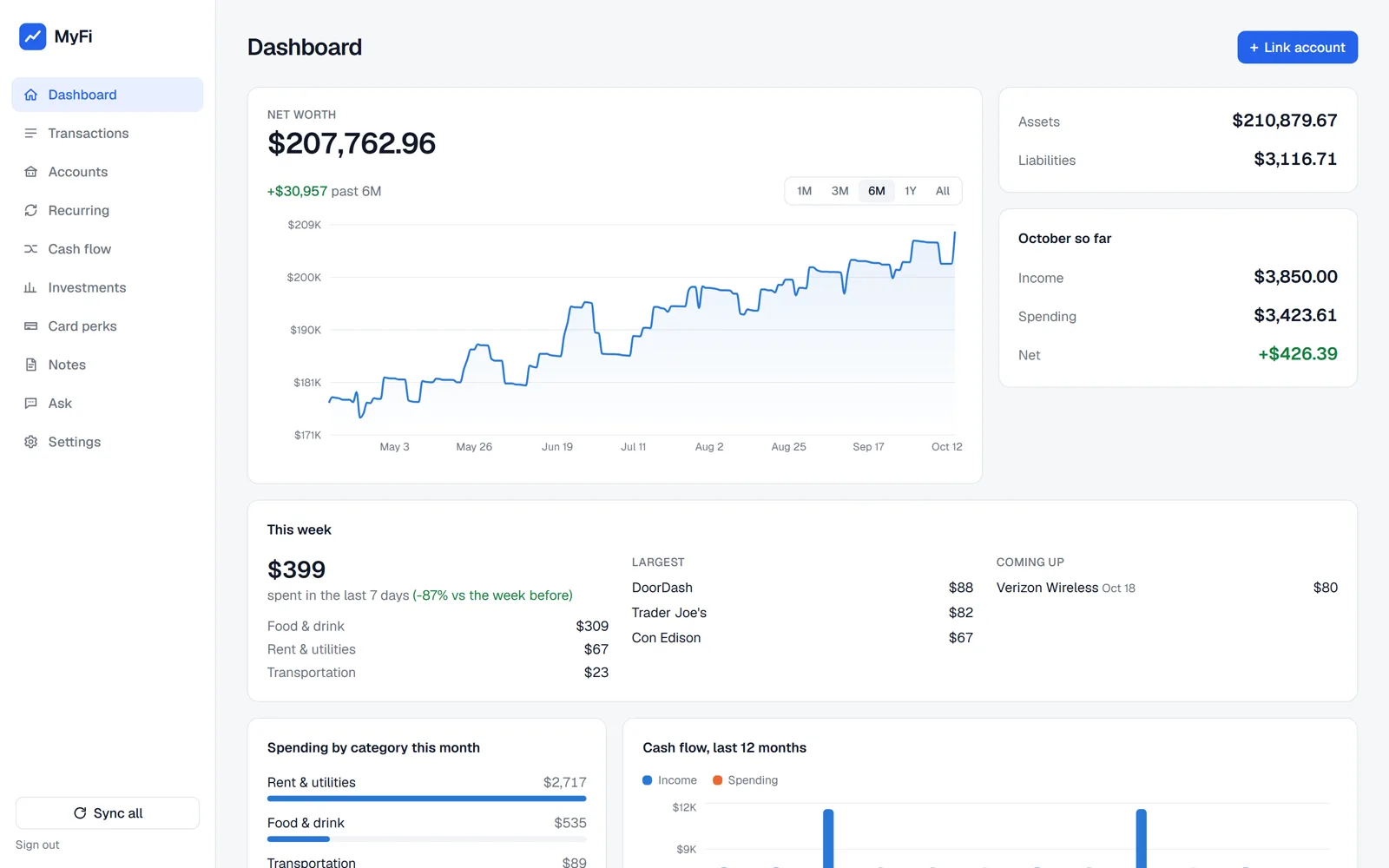
MyFi
Every bank account, credit card, loan and brokerage account in one place, with budgets, a cash flow forecast and card perks, running on your own computer.
- Every account in one view
- Get the most from your card perks
- Works on mobile, saved to your home screen like an app
- Bills and subscriptions detected automatically
- Financial data stored on your own computer
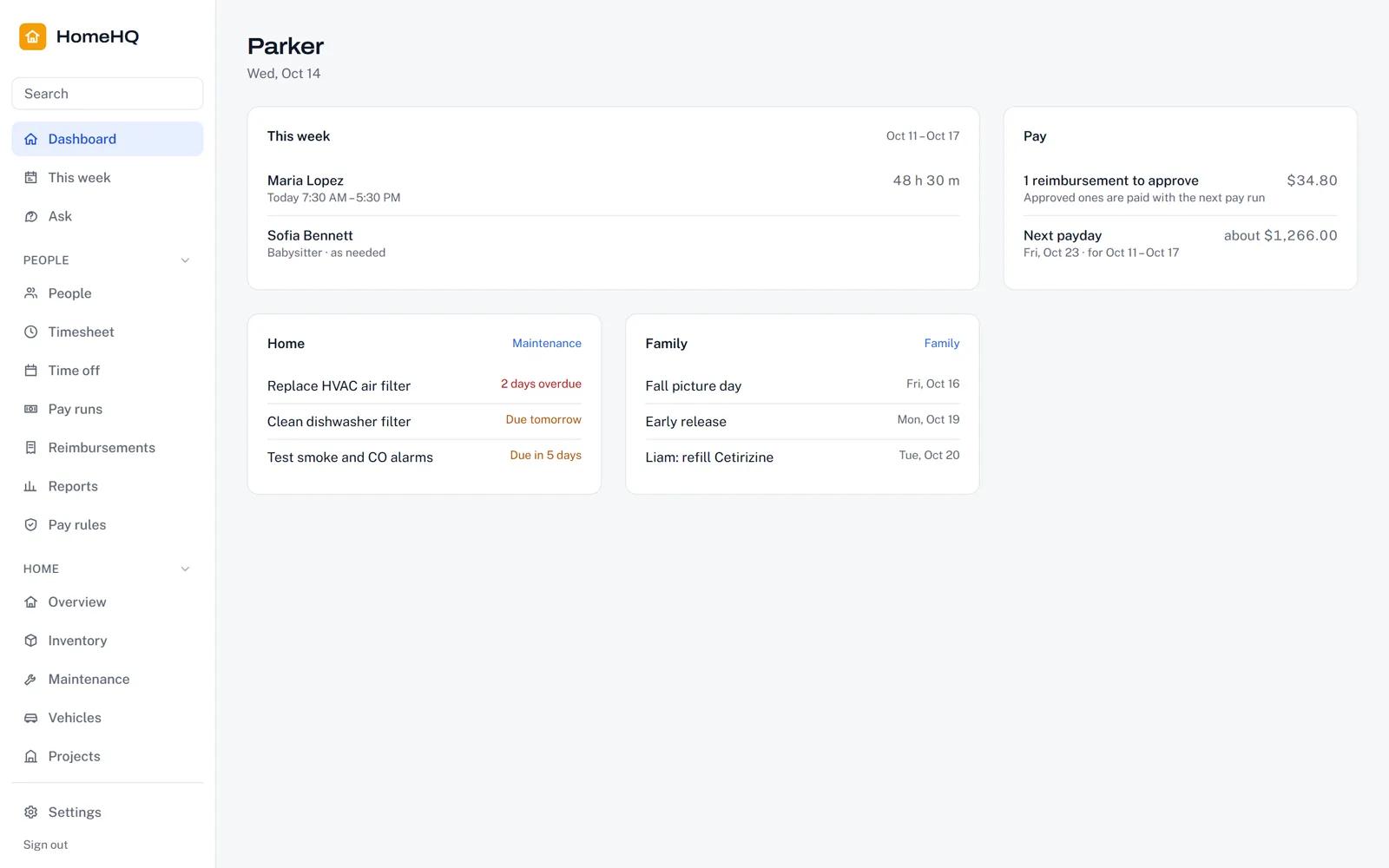
HomeHQ
The operations manual for your household: the people you pay, the house itself, the family, and your home network, in one private app on your own computer.
- Nanny schedules, timesheets and pay runs with overtime
- Reminders by phone push or email, plus optional AI questions
- Works on mobile, saved to your home screen like an app
- Appliances, warranties, repairs, family records and your home network
- Printable house manual, babysitter sheet and network sheet
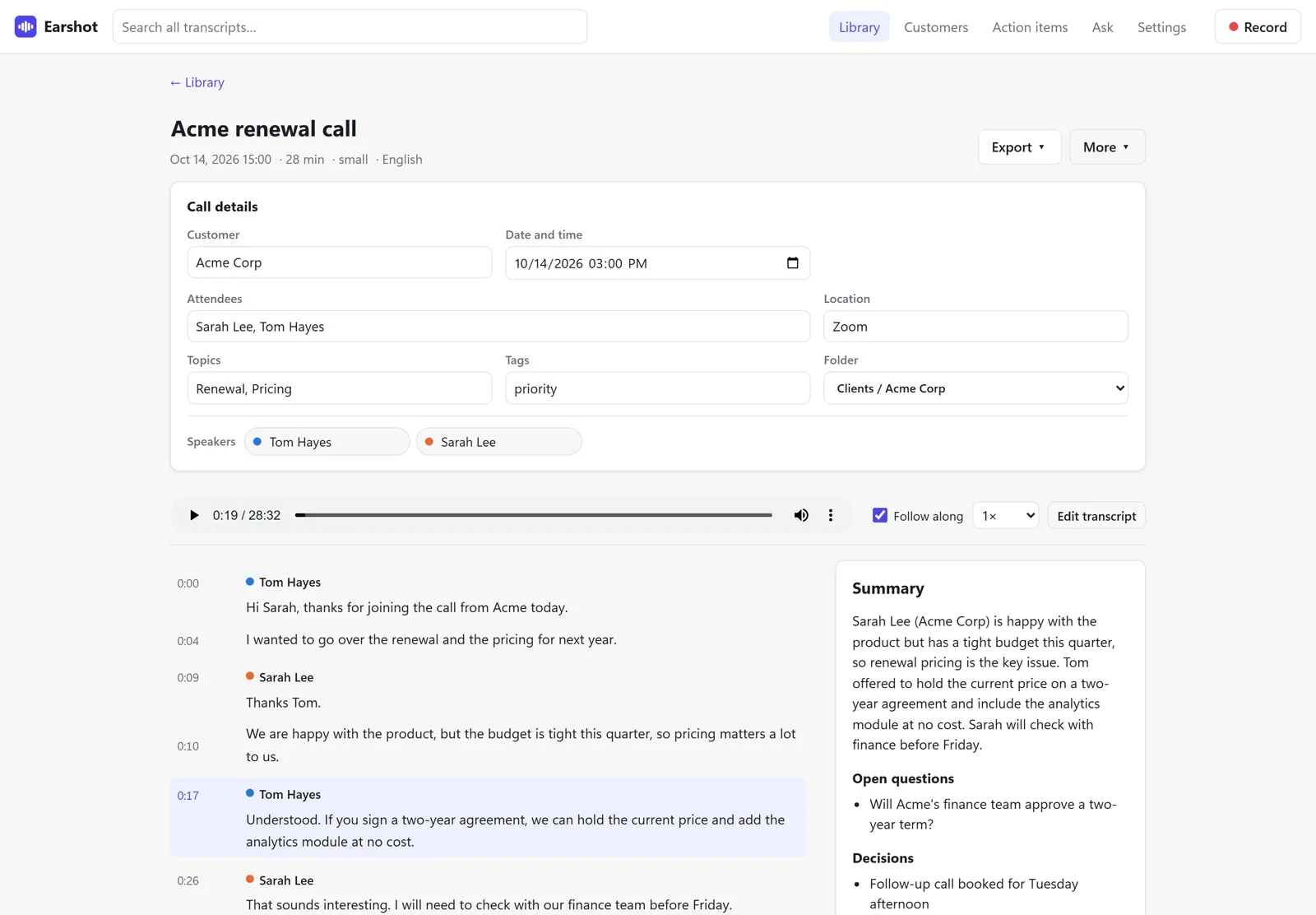
Earshot
Searchable, timestamped transcripts of your meetings, calls and recordings, made entirely on your own computer.
- Records Zoom, Teams and Meet calls, or transcribes any audio or video file
- Stored locally: nothing uploaded, no account, no tracking
- Speaker labels, summaries and action items
- Works offline after a one-time setup
- Windows, Mac and Linux, on up to 3 computers
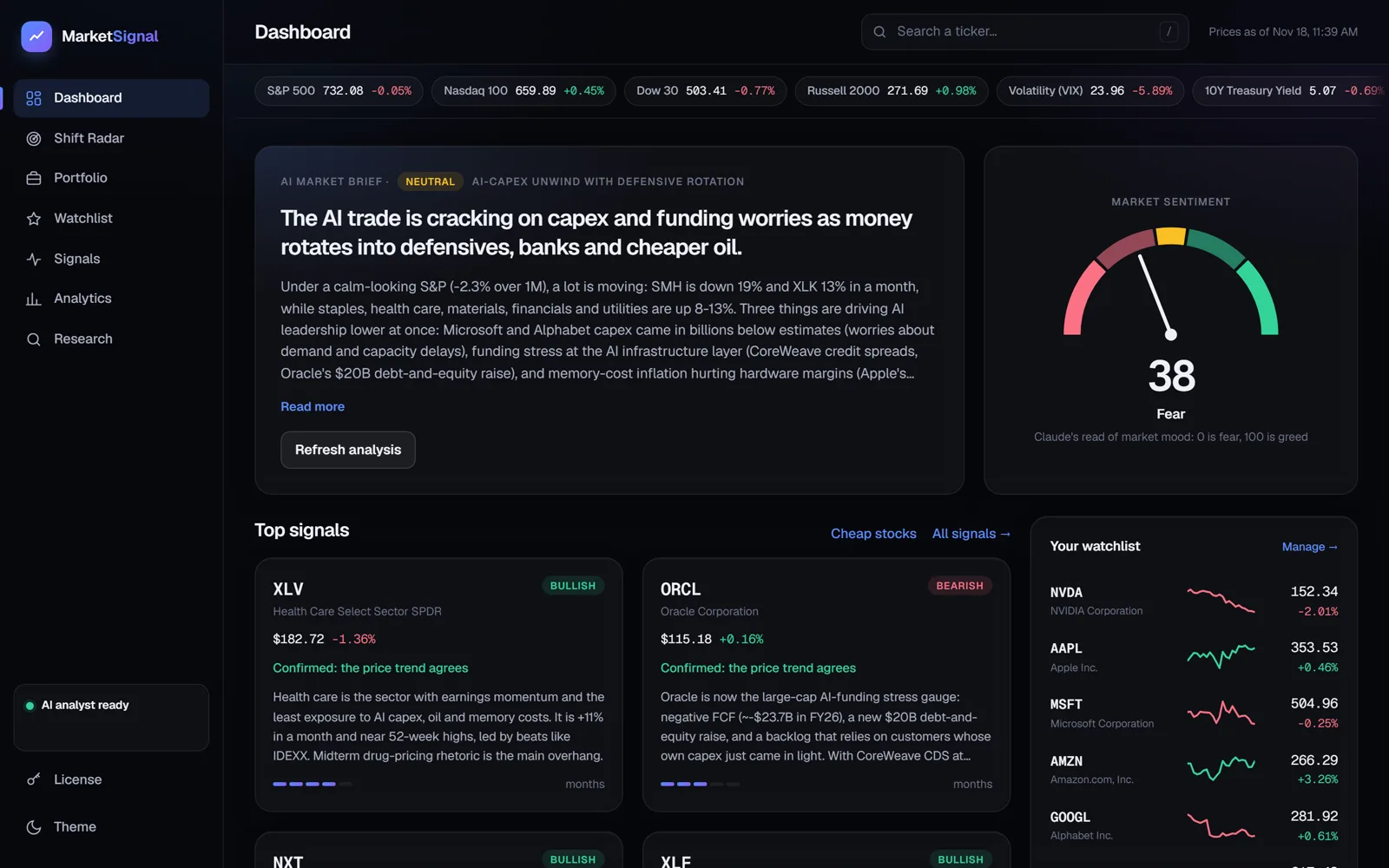
Market Signal
Your own AI market analyst: a calm daily brief on what's driving markets, with signals, long-term trends and your watchlist, running on your own computer.
- Daily AI market brief and why stocks moved
- Shift Radar spots long-term industry shifts early
- Signals with a trade check and a track record vs the S&P 500
- No account, no tracking, uses your own Anthropic key
- Windows, Mac and Linux, on up to 5 computers. Not investment advice
Weekly, MyFi and HomeHQ for $49.99*
Get Weekly, MyFi, and HomeHQ together and save $40 with the bundle and build your own connected ecosystem from day one.
* Earshot and Market Signal aren't included in the bundle.
Own more than one? Connect them.
Each app works fine on its own. Buy more than one and you can tie them together, so information you enter once shows up where you need it.
A working app on day one. Yours to shape from there.
Every NewcombLabs app works once you follow the setup guide. But the real idea is that it's a starting point: you get every line of code, so you and your coding agent can keep shaping it into exactly what your life needs.
It works out of the box
Follow the included setup guide, add your own API keys, and the app runs on your own computer. Weekly's panels, MyFi's accounts and HomeHQ's records are ready to use from the start.
Make it yours with a coding agent
Point a coding agent like Claude Code or Codex at the app's folder and describe what you want in plain English. Add a panel, track something new, or change the layout. No coding experience needed.
For example"Add a panel for my kid's soccer schedule." "Set up card perks for my own cards." "Add a section for our boat."
It stays yours
The app runs on your hardware and your data stays with you. Updates and support aren't included, so you're free to change anything, and your coding agent can help fix or extend it whenever you need.
From checkout to running
The same four steps for every NewcombLabs app.
Buy
Check out securely through Polar. Sales tax and VAT are handled for you.
Download
Your download link arrives by email right away.
Set up
Follow the included guide and add your own API keys.
Make it yours
You have every line of code. Ask your coding agent to change whatever you like.
Private by design
Your schedule, your finances and your household details stay with you, in every NewcombLabs app.
Self-hosted
Every app runs on your own computer, and your data lives there too.
Never sent to us
Nothing runs on NewcombLabs servers, and your data is never sent to us.
Your own API keys
You choose which outside services each app connects to, with keys in your own name.
Lock it down your way
Set up login however you choose. Cloudflare is our recommended way to add a secure sign-in.
Good to know before you buy
These apply to every app. Each app's page lists what it needs to run, and Earshot and Market Signal have their own questions on their pages (Earshot, Market Signal).
What does self-hosted mean?
You run the app yourself, on your own computer or a server you rent. Nothing runs on NewcombLabs servers, and your data is never sent to us.
Do I need to be technical?
A little. You should be comfortable installing software from a terminal and following a setup guide step by step. To make changes later, you can lean on a coding agent like Claude Code or Codex to do the heavy lifting for you. Earshot is the exception: it installs with a double-click on Windows, or one command on Mac and Linux.
How long does installation take?
About an hour for Weekly, MyFi and HomeHQ, depending on which features you set up. Earshot takes about 10 minutes, mostly downloading.
How secure are my apps?
You stay in control. Each app runs on your own computer, so your data is stored on your machine and never sent to NewcombLabs. The apps connect to outside services using your own API keys, and you can configure login however you choose. We recommend Cloudflare: it can add a secure sign-in in front of your apps before anyone can reach them.
Can I access my apps from anywhere?
Yes. Set up Cloudflare so you can reach your apps securely from anywhere, not just on your home network. Then add a shortcut to your phone's home screen so each one opens like any other app.
Are there geographic limitations?
For MyFi, it depends on Plaid. MyFi connects to your banks through Plaid, and Plaid decides which countries and banks it supports. Weekly works anywhere, though a few panels use US-only data sources such as the National Weather Service. HomeHQ's overtime rules cover the 50 US states plus DC.
Are updates or support included?
No. You get the full source as it is on the day you buy, and you're free to update, fix, or extend it yourself. If you have questions, though, reach out at [email protected].
Can I make changes to the app?
Yes. You can alter the code and make any changes you want. Think of each app as a baseline or template. Connect your coding agent to make changes easily, even if you don't know how to code.
Can I resell an app or host it for other people?
No. Each license covers your own use. See the license terms for details.
Are payments secure?
Yes. Checkout is handled by Polar, which acts as the seller of record, and card payments are processed by Stripe. NewcombLabs never sees or stores your card details.
What's the refund policy?
All sales are final and nonrefundable. If you run into an issue, email [email protected] and we'll review it case by case.
How do I get in touch?
Email [email protected].
What people are saying
Have an idea?
Suggest a new app or an improvement. Every suggestion gets read. Or email [email protected].